
Money & loot
How to Launder Money in ROB RUN: Bank and Desk Guide
Updated · RobrunCodex
Open an account at Looty Bay Bank as a Civilian, then use the Laundering Desk at your base to process cash. The desk has a separate “Transfer to my account” action: use it to move the processed funds into your bank balance. Cash in your bag and money waiting at the desk are different from money already in the bank.

Open your account at Looty Bay Bank
Enter Looty Bay as a Civilian and go to the bank. Speak to the employee at the counter and choose to open an account. Bring $5,000 in cash for the opening fee; confirm the “Open $5,000” prompt to finish.
This is a normal counter interaction. You don’t need the vault’s ID Card, Mini Drill or Drill to open an account. If you came for banking, leave the heist equipment out of the budget.
Opening the bank account
Watch the employee interaction and the $5,000 confirmation. This is the account counter, separate from the bank vault.
Watch the interaction · 0:05–0:26
Find the bank before carrying your cash there
Use the bank location below to get your bearings. Your role matters at the counter: finish Criminal mode and return as a Civilian before trying to open the account.
Put cash through the desk at your base
Return to your base and interact with the Laundering Desk. If you still live at the motel and need your own plot, follow the first-house guide linked below before planning base upgrades.
Move the cash you want to process from your inventory into the desk and begin laundering. Watch the processing amount and the clean-money amount separately. An empty inventory or a completed sale does not mean that cash has reached your bank.
Leave enough cash for purchases you still need to make: research and Black Market purchases use cash. Laundering your entire available supply can leave you needing a withdrawal for the next unlock.
Follow the money through three separate places
 Cash in your bag
Sale proceeds are still carried cash.
 Cash in the desk
Laundering converts the loaded cash over time.
- Money in your account
Use the transfer action for the processed funds.
Finish with “Transfer to my account”
Once the desk has produced clean money, select “Transfer to my account”. Check that the bank balance increases. You can transfer the available processed amount while the desk still has cash left to launder; the clip below shows that distinction.
If the transfer amount is zero, check whether the desk is still processing its first cash. If clean money is available but the bank balance hasn’t changed, complete the transfer rather than loading another batch and assuming the first one arrived.
Processing cash and transferring it to the bank
The desk shows cash being processed above a separate clean-money amount. Notice “Transfer to my account” and the account balance underneath.
Watch the interaction · 2:47–3:13
Upgrade after the basic loop works
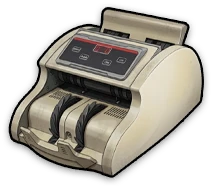
Banknote Counter 1 is a laundering upgrade with a listed research cost of $10,000 and a separate purchase price of $30,000. That is $40,000 for this upgrade’s own research and one purchase, before any property setup.
Check the compatible upgrade slot in your building before buying a counter. Higher counter tiers have their own access requirements. Don’t buy a later tier simply because its name suggests faster laundering: make sure you can install it at your current base.
Withdraw only the cash you need
Banked money is protected from theft until the wipe. When you need cash again, withdraw it at an ATM. The amount you take out becomes carried cash again, so withdraw for a specific purchase rather than emptying the account before an ordinary loot run.
Banking is useful protection during the current state. It does not preserve the balance through the federal wipe; plan spending and progression with that deadline in mind.
Common questions
Why is my bank balance still zero after laundering?
Check the clean-money amount at the desk and use “Transfer to my account”. Loading cash, starting the desk and transferring its processed output are separate parts of the job.
Do I need to rob the bank to open an account?
No. Visit the employee as a Civilian and pay the $5,000 account-opening fee. Vault access equipment belongs to the bank heist.
How long does laundering take?
The desk processes cash over time. Watch its current progress and installed upgrades; don’t plan a withdrawal around a fixed time estimate from a different setup.
Can players steal money already in my bank?
Banked funds are protected from theft until the wipe. Cash you carry and cash that has not reached the account should not be treated as banked funds.
Does banked money survive a wipe?
No. The federal wipe removes current-state property, including the bank balance. Laundering protects money from theft during the run.